Single Sign-on
Enterprise customers can set up OpenID Connect (OIDC) to authenticate their team members. This helps centralize user management and enhance security by leveraging your existing identity provider.
Prerequisites
- You must have an Enteprise contract in place. If you don't have one, see our enterprise offering.
- You must have an identity provider (IdP) that supports OpenID Connect (OIDC) protocol, such as Okta, Azure AD, Google Workspace, etc.
- You must have a verified domain. Our team will handle domain verification during Enterprise onboarding.
OIDC Configuration
Step 1: Identity Provider (IdP) Configuration
- Log in to your identity provider's admin console and create a new OIDC application/client.
- Configure the application's redirect URI to point to our OIDC callback endpoint:
https://hyvor.com/api/oidc/callback. - The required scopes are
openid,profile, andemail. - Note down the OIDC configuration details: Issuer URL, Client ID, and Client Secret.
Step 2: HYVOR Configuration
- Go to the Single Sign-on settings page of your organization.
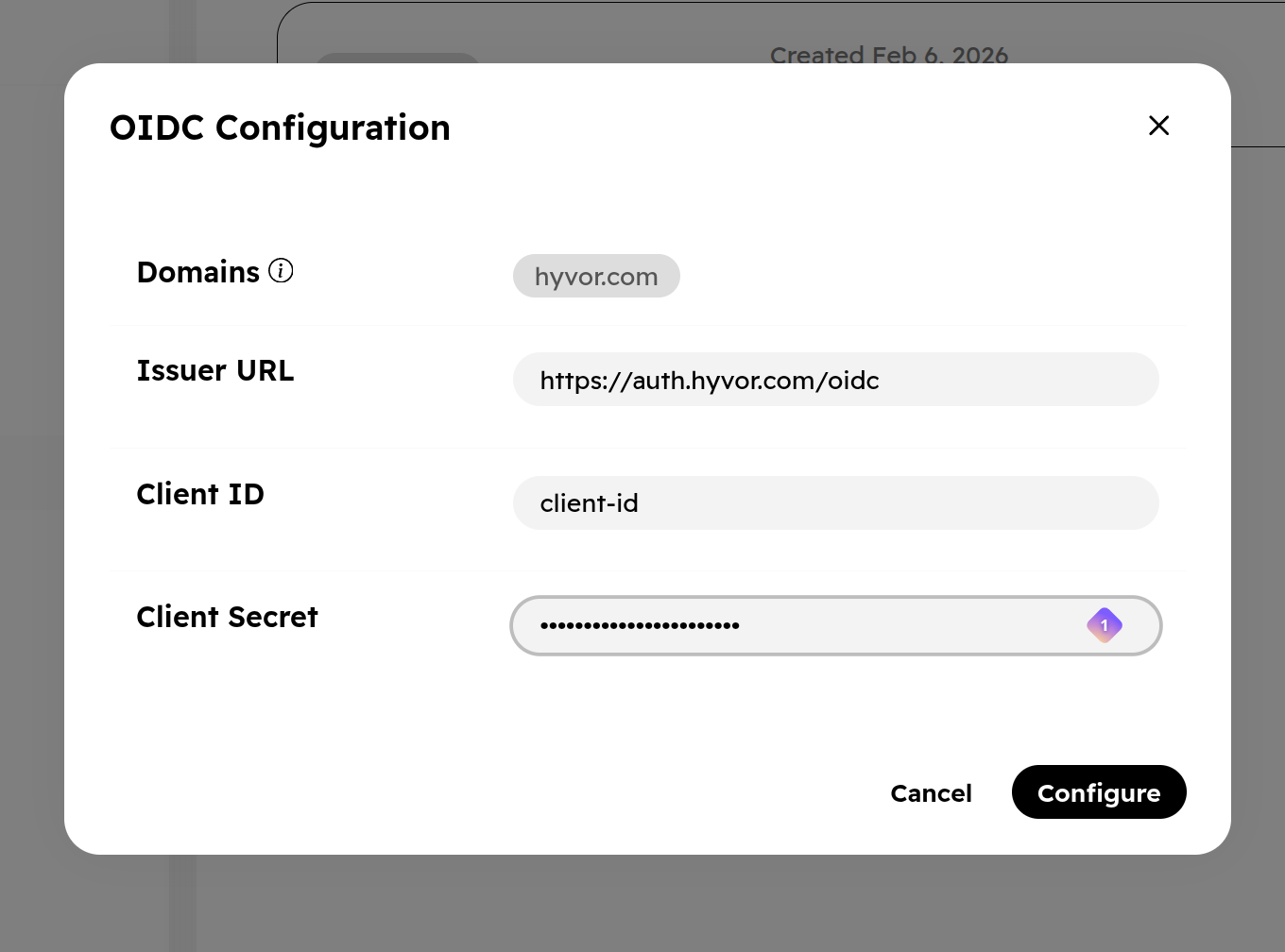
- Click the "Configure" button to start the OIDC SSO setup process.
- Enter your OIDC configuration details from the last step.
- Verify the configuration details and click Configure.
Authentication (Login & Signup)
To log in or sign up using Single Sign-on, users must click the "Log in with SSO" button on the login page and enter their work email address.
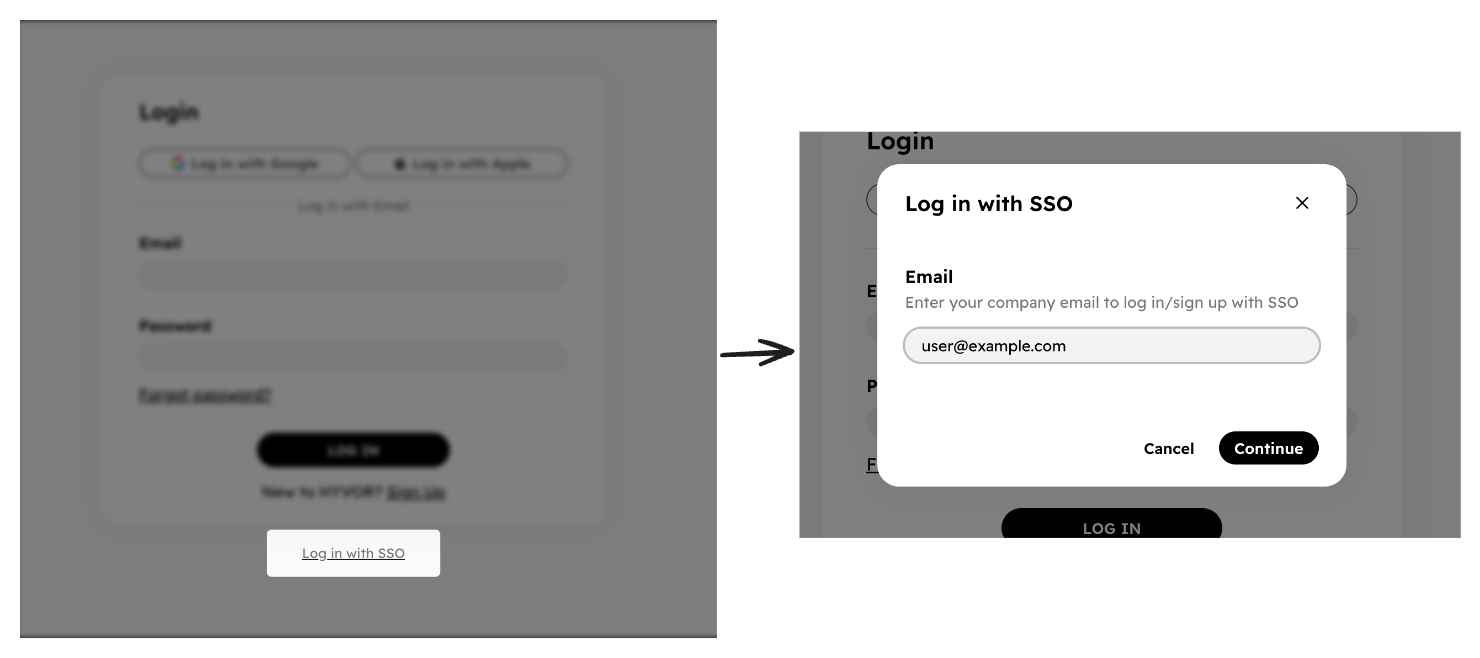
Then, they will be redirected to your identity provider's login page, based on the domain of the email. Once authentication is successful, they will be logged in to their HYVOR account. If the user doesn't have a HYVOR account, a new account will be created automatically. All new and existing users will be added as a Member to your organization upon their first login via SSO.
FAQ
Can I configure multiple identity providers (IdPs)?
Enterprise plans include one identity provider configuration by default. Additional IdPs can be added for €2,000 per IdP, per year (or equivalent in your currency).
Can I configure multiple SSO domains?
Each IdP configuration includes one domain by default. Additional domains can be added for €500 per domain, per year (or equivalent in your currency), and requires a domain verification process.
What happens to users who already have a HYVOR account?
When an existing user logs in via SSO for the first time, our system automatically links their identity provider to their current HYVOR account based on their email address. They can then use SSO for all future logins. Previous login methods (e.g., email/password) will still work for them.
Can I restrict my members to SSO login only?
Currently, we do not support restricting login methods. However, this feature is planned for a future release.