Organizations
Access to HYVOR is managed through organizations. There are two types of organizations:
- Personal: Every HYVOR user has a personal organization. It is intended for individual use and cannot have multiple members.
- Business: Business organizations are designed for teams and companies. They can have multiple members with different roles.
Learn how organizations work:
Current Organization
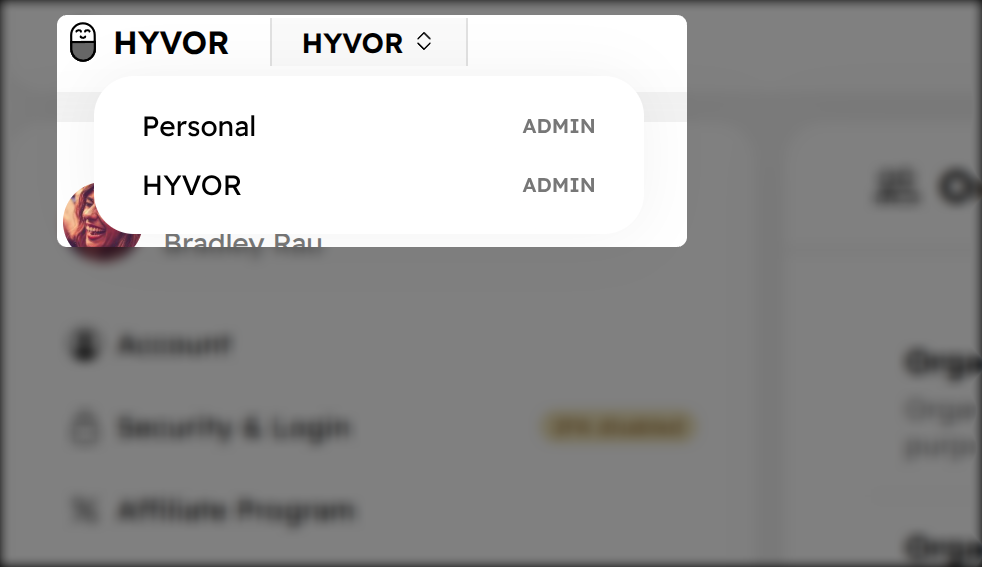
Every HYVOR user has a "current organization" that they are operating under at any given time. This organization determines the resources the user can access. Users can switch between organizations using the organization switcher in the HYVOR Bar (top navigation bar in product consoles).
Creating an Organization
To create a new organization, follow these steps:
- Log in to your HYVOR account.
- Navigate to the "Organizations" section in your dashboard.
- Click on the "Create Organization" button.
- Fill in the required details such as organization name.
- Click "Submit" to create your organization.
Members and Roles
You can invite members to your business organization and assign them specific roles. The available roles are:
- Admin: Can manage all aspects of the organization, including billing and members.
- Billing: Can manage billing but cannot manage members or access products.
- Manager: Can acess products and invite members but cannot access billing.
- Member: Can access products but cannot manage members or billing.
Product Access
All members of an organization (except billing-only members) get access to HYVOR products, if the organization has an active subscription. They can create resources (for example, a blog in Hyvor Blogs) and join existing resources within the organization.
Note that each products has its own role-based access control system. The member who creates a resources is generally an "admin" of that resource and can add other members with varying roles.